
[dmidecode] Hướng dẫn kiểm tra thông tin server HP và Dell
Khi sử dụng server của HP và Dell, ta muốn quản lý thông tin phần cứng, dòng series của server. Thay vì phải xem thông số trực tiếp trên thiết bị hoặc reboot server để vào BIOS kiểm tra thì bên cạnh đó có 1 công cụ hỗ trợ các sysadmin kiểm tra ngay chính trên OS mà không cần phải làm thao tác nào phức tạp. Bài viết này mình xin giới thiệu 1 công cụ hỗ trợ cho vấn đề đó là dmidecode. CentOS
sudo yum install dmidecodeUbuntu
sudo apt-get update -y
sudo apt-get install -y dmidecode
Kiểm tra version
dmidecode -Vdmidecode -t1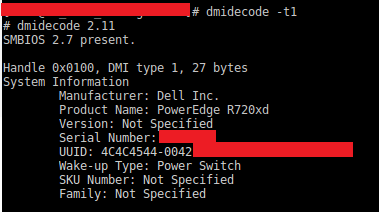 Hiển thị thông tin về BIOS
dmidecode -t0
hoặc
dmidecode -t bios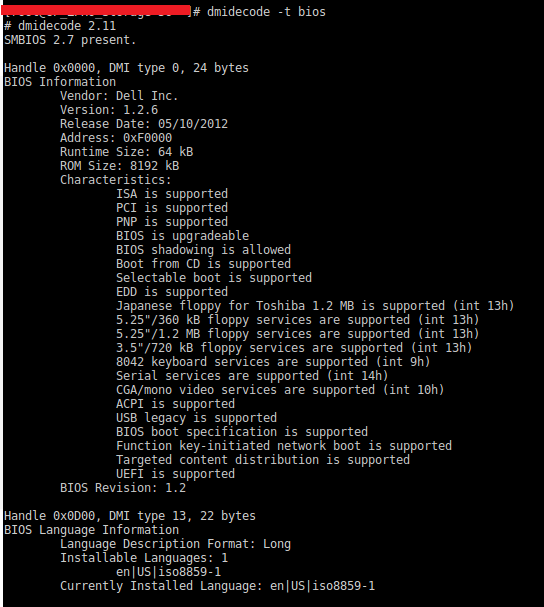 Với lệnh này ta sẽ biết được thông tin về BIOS như ROM size, các tính năng của BIOS Hiển thị thông tin về Cache của hệ thống
dmidecode -t 7
hoặc
dmidecode -t cache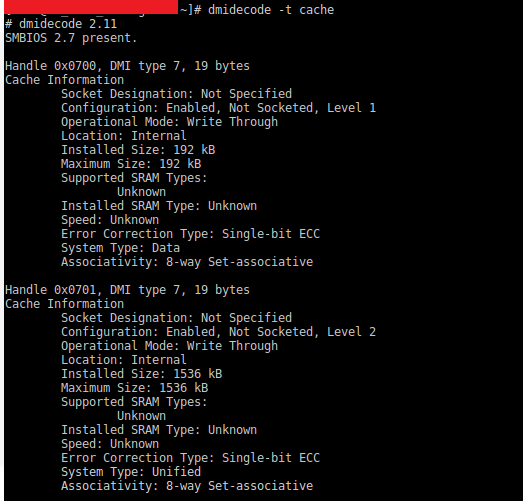 Hiển thị thông tin về RAM của server
dmidecode -t 17 Lệnh này cho phép xem được thông tin của RAM như: Speed (bus của RAM), Type, dung lượng của RAM (Size) Ngoài ra còn nhiều loại thông tin mà có thể khai thác được bằng dmidecode như dưới đây Type | Information —|— 0 | BIOS 1 | System 2 | Baseboard 3 | Chassis 4 | Processor 5 | Memory Controller 6 | Memory Module 7 | Cache 8 | Port Connector 9 | System Slots 10 | On Board Devices 11 | OEM Strings 12 | System Configuration Options 13 | BIOS Language 14 | Group Associations 15 | System Event Log 16 | Physical Memory Array 17 | Memory Device 18 | 32-bit Memory Error 19 | Memory Array Mapped Address 20 | Memory Device Mapped Address 21 | Built-in Pointing Device 22 | Portable Battery 23 | System Reset 24 | Hardware Security 25 | System Power Controls 26 | Voltage Probe 27 | Cooling Device 28 | Temperature Probe 29 | Electrical Current Probe 30 | Out-of-band Remote Access31 Boot Integrity Services 32 | System Boot 33 | 64-bit Memory Error 34 | Management Device 35 | Management Device Component 36 | Management Device Threshold Data 37 | Memory Channel 38 | IPMI Device 39 | Power Supply 40 | Additional Information 41 | Onboard Devices Extended Information 42 | Management Controller Host Interface Tham khảo https://centos.pkgs.org/6/centos-x86_64/dmidecode-2.12-7.el6.x86_64.rpm.html https://zoomadmin.com/HowToInstall/UbuntuPackage/dmidecode https://www.linuxtechi.com/dmidecode-command-examples-linux/